Video KYC - UI Customization
Description
Video KYC supports user interface (UI) customizations (also known as re-branding) to suit your business requirements. You can refer the following table and the screenshots to understand the types of customizations supported.
Please ensure that you provide the desired values for the following fields to the HyperVerge team to configure it for your setup.
Reference Table for UI Configuration
| Name of the field | Default Value | Description |
| primaryColor | #1fa2bb | The primary theme of the portal. It is used in most buttons, inputs, etc. |
| secondaryColor | #fafaff | The color used for highlighting used in footers, etc. |
| backgroundColor | #ffffff | The background color is used as a background for the entire website (including cards) |
| borderColor | #e5e5f0 | The color that is used for card borders |
| shadowColor | #cccccc | The color used for shadow, highlight, etc. for cards |
| primaryFontColor | #242247 | Default font color used throughout the website (this is the primary darker color) |
| secondaryFontColor | #596377 | Font color used for lighter texts |
| buttonPrimaryFontColor | #ffffff | The color used for text on buttons etc. that have the primary color as the background color |
| maskColor | #116d7d | This is the color to be used when buttons that auto-start are filling up |
| fontFamily | Muli | The font family name to be used in the website |
| fontUrl | Click here | The google font URL to load the above-mentioned font (required only if the above-mentioned font is not system default) |
| fontSize | 16px | Base font size for the website. Font sizes at different places are calculated based on this base size. |
Sample Screens
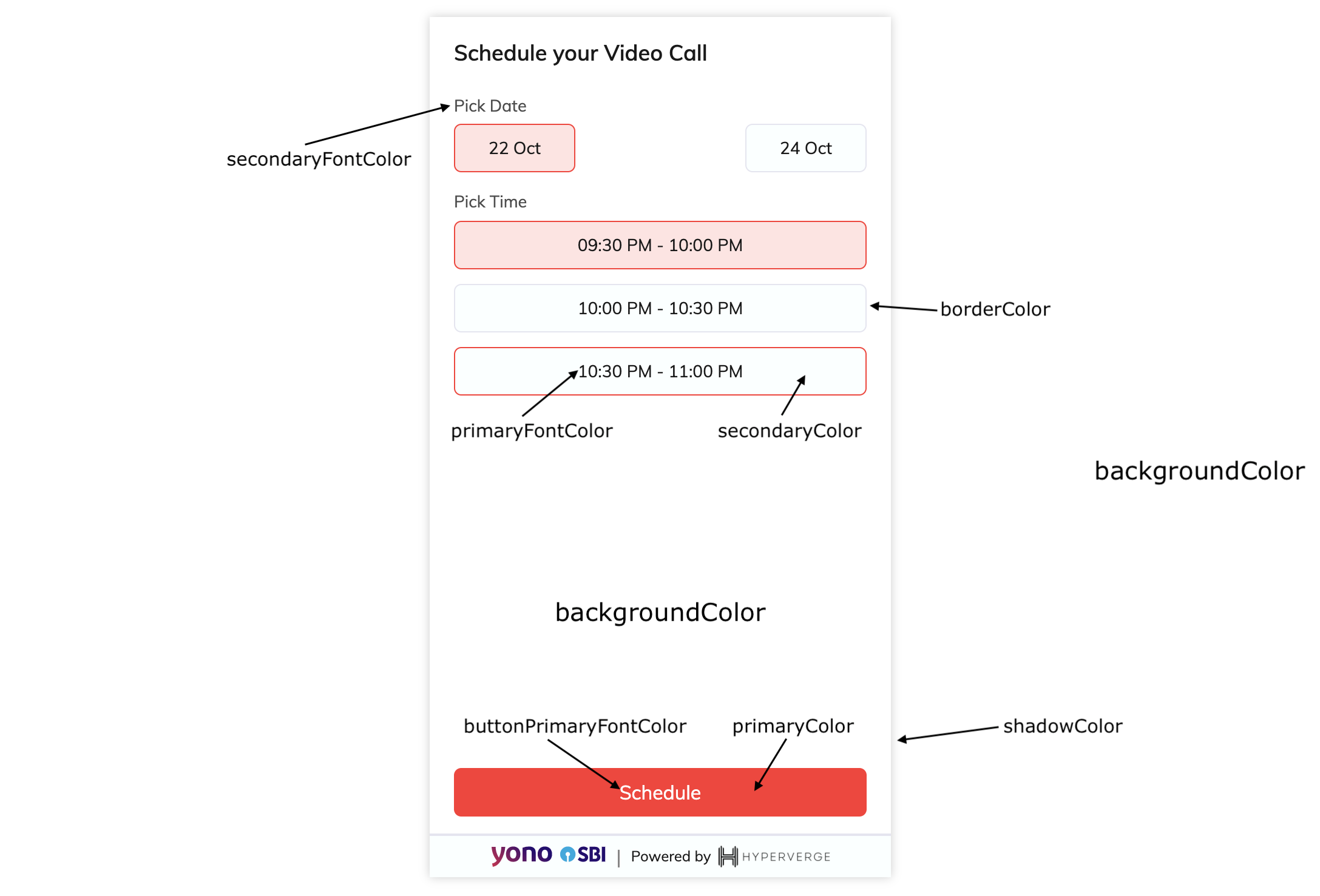
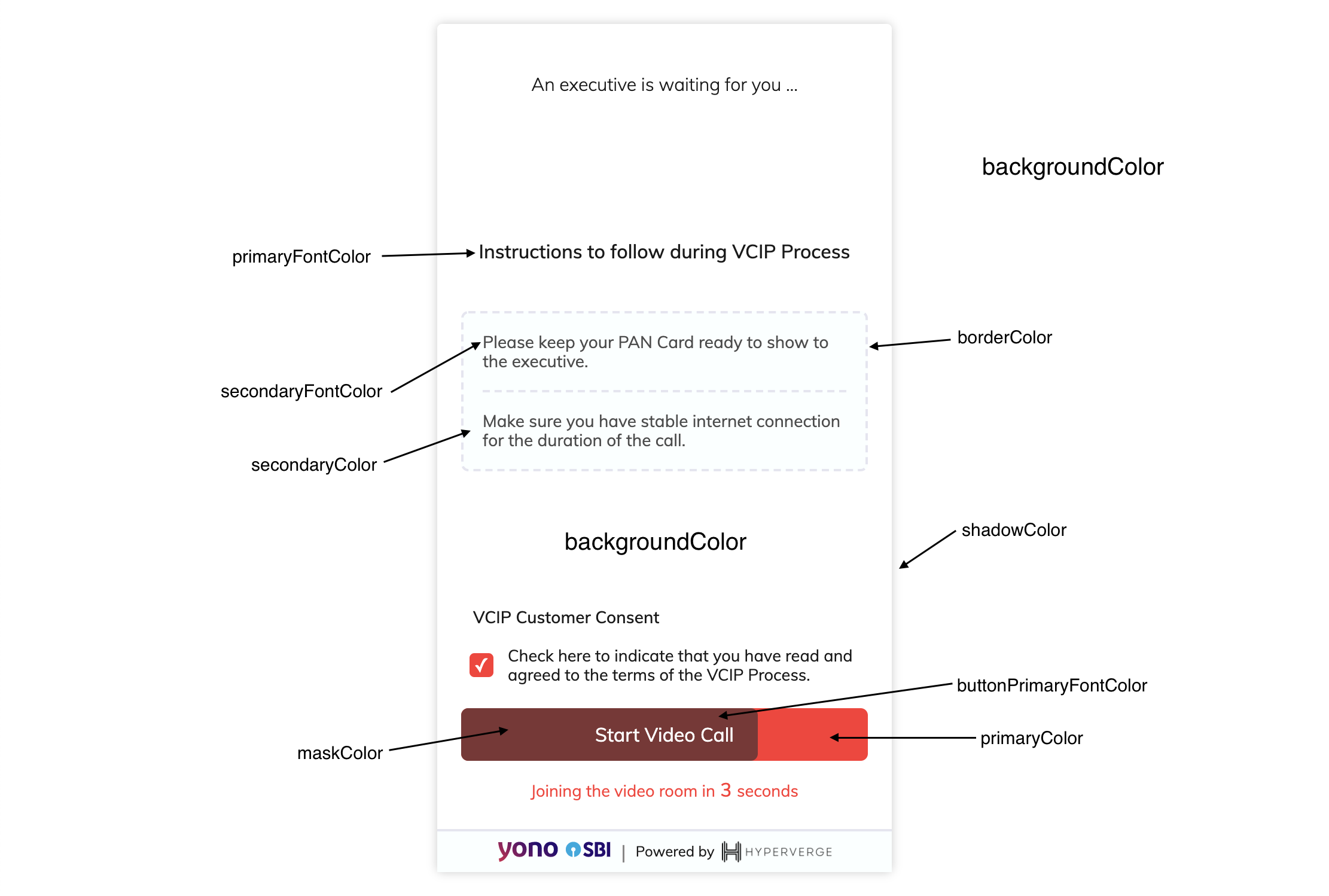
The following screenshots are samples of the Video KYC screens with the fields highlighted for your reference.
Sample 1: The instructions page
Sample 2: The schedule page